
공짜로 SSL 설치해 보자.
Are certificate prices reasonable? Maybe, maybe not. Some companies try to charge even more with price tiers that add more features, but a lot of them are basically gimmicks.
참조 : https://www.quora.com/Why-does-an-SSL-certificate-cost-money
설명 나무위키 참조:

Let’s Encrypt는 사용자에게 무료로 TLS 인증서를 발급해주는 비영리기관이다. 모질라 재단, 페이스북, 구글 등 많은 업체가 스폰서로 등록되어 있다.
발급된 인증서는 3개월간 사용할 수 있으며, 만료 전 갱신하면 계속해서 사용이 가능하다. 짧은 유효기간과 더불어서 DV(도메인검증) 인증서만 발급이 가능하다는 단점이 있다
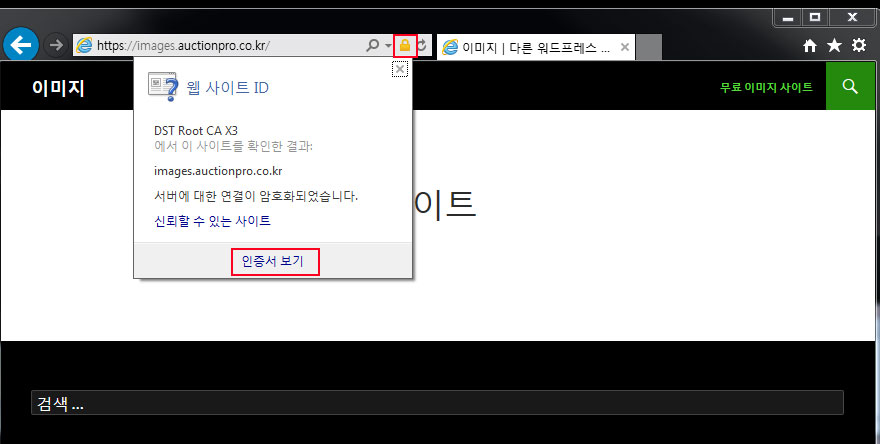
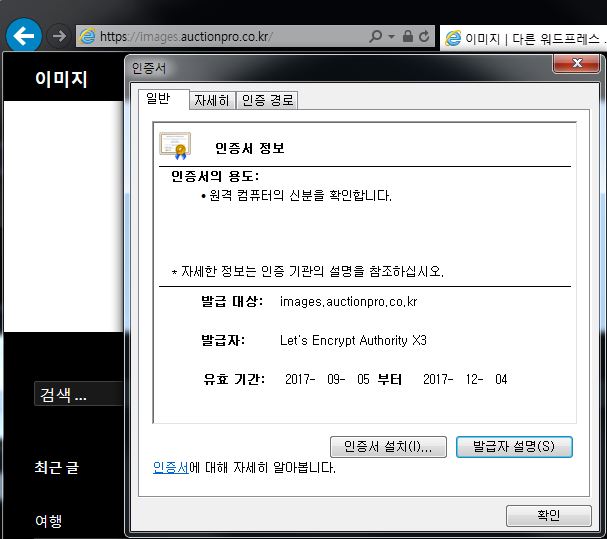
테스트 설치 서버: ubuntu server 16.02
1. sudo apt-get install git
sudo apt-get install git
1.1 centos 5.9 에서 yum install git 로 error 가 발생할 경우 (지원하지 않음 – 포기)
echo "http://vault.centos.org/5.9/os/x86_64/" > /var/cache/yum/base/mirrorlist.txt
echo "http://vault.centos.org/5.9/extras/x86_64/" > /var/cache/yum/extras/mirrorlist.txt
echo "http://vault.centos.org/5.9/updates/x86_64/" > /var/cache/yum/updates/mirrorlist.txt
[root@localhost]# yum install git
Loaded plugins: fastestmirror, security
Loading mirror speeds from cached hostfile
base                                                     | 1.1 kB     00:00
base/primary                                             | 1.3 MB     00:00
base                                                                  3667/3667
extras                                                   | 2.1 kB     00:00
extras/primary_db                                        | 173 kB     00:00
updates                                                  | 1.9 kB     00:00
updates/primary_db                                       | 1.0 MB     00:01
Setting up Install Process
No package git available.
Nothing to do
sudo yum build-dep git
wget http://kernel.org/pub/software/scm/git/git-1.8.2.3.tar.gz
tar -xvjf git-2.9.5.tar.gz
cd <git>
make (possibly a ./configure before this)
sudo make install
2. sudo git clone https://github.com/letsencrypt/letsencrypt /opt/letsencrypt
sudo git clone https://github.com/letsencrypt/letsencrypt /opt/letsencrypt
3. cd /opt/letsencrypt
cd /opt/letsencrypt
4.0 apache2 stop
service apache2 stop
4. sudo -H ./letsencrypt-auto certonly –standalone -d example.com -d www.example.com
sudo -H ./letsencrypt-auto certonly --standalone -d example.com -d www.example.com
5. …..설치 진행….
Installing Python packages...
Installation succeeded.
Saving debug log to /var/log/letsencrypt/letsencrypt.log
Enter email address (used for urgent renewal and security notices) (Enter 'c' to
cancel): <strong>mail@yahoo.co.kr</strong>

-------------------------------------------------------------------------------
Please read the Terms of Service at
https://letsencrypt.org/documents/LE-SA-v1.1.1-August-1-2016.pdf. You must agree
in order to register with the ACME server at
https://acme-v01.api.letsencrypt.org/directory
-------------------------------------------------------------------------------
(A)gree/(C)ancel: <strong>A</strong>

-------------------------------------------------------------------------------
Would you be willing to share your email address with the Electronic Frontier
Foundation, a founding partner of the Let's Encrypt project and the non-profit
organization that develops Certbot? We'd like to send you email about EFF and
our work to encrypt the web, protect its users and defend digital rights.
-------------------------------------------------------------------------------
(Y)es/(N)o:<strong> Y</strong>
Obtaining a new certificate
Performing the following challenges:
tls-sni-01 challenge for images.auctionpro.co.kr
Waiting for verification...
Cleaning up challenges

IMPORTANT NOTES:
- Congratulations! Your certificate and chain have been saved at:
/etc/letsencrypt/live/images.auctionpro.co.kr/fullchain.pem
Your key file has been saved at:
/etc/letsencrypt/live/images.auctionpro.co.kr/privkey.pem
Your cert will expire on 2017-12-04. To obtain a new or tweaked
version of this certificate in the future, simply run
letsencrypt-auto again. To non-interactively renew *all* of your
certificates, run "letsencrypt-auto renew"
- Your account credentials have been saved in your Certbot
configuration directory at /etc/letsencrypt. You should make a
secure backup of this folder now. This configuration directory will
also contain certificates and private keys obtained by Certbot so
making regular backups of this folder is ideal.
- If you like Certbot, please consider supporting our work by:
Donating to ISRG / Let's Encrypt: https://letsencrypt.org/donate
Donating to EFF: https://eff.org/donate-le
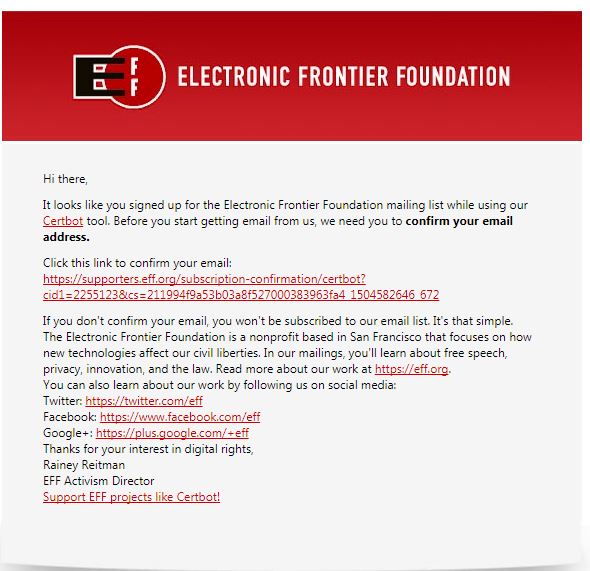
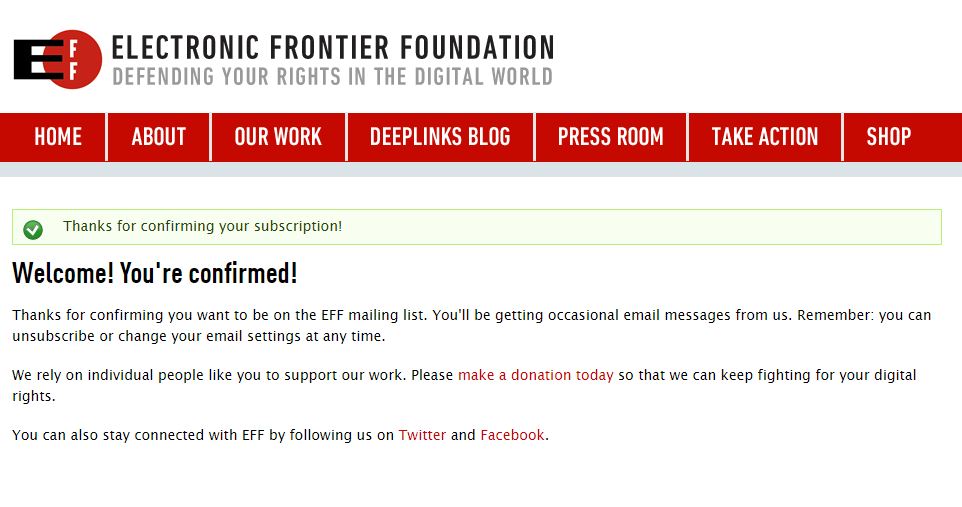
5.1 Email 인증
6. 확인
sudo ls /etc/letsencrypt/live
sudo ls /etc/letsencrypt/live/example.com
cert.pem (사용)
chain.pem
fullchain.pem (사용)
privkey.pem
7. 90일 마다 갱신 해야 하기 때문에 Cron (자동)으로 한달에 한번에 갱신되게 세팅– 오류 발생 -> 7.1 로 대체
Obtaining a new certificate
Performing the following challenges:
http-01 challenge for reservationbook.kr
Cleaning up challenges
Problem binding to port 80: Could not bind to IPv4 or IPv6.
echo '@monthly root /opt/letsencrypt/letsencrypt-auto certonly --quiet --standalone --renew-by-default -d example.com -d www.example.com >> /var/log/letsencrypt/letsencrypt-auto-update.log' | sudo tee --append /etc/crontab
또는 매월 17일에 재갱신
|
1 2 3 |
0 0 */10 * * certbot renew >> /logs/certbot-cron.log 2>&1 |
7.1 apache2 멈춘후 install 명령어 진행 하면 재경신 됩니다.
root@: cd /opt/letsencrypt
root@: service apache2 stop
root@:/opt/letsencrypt# sudo -H ./letsencrypt-auto certonly --standalone -d images.auctionpro.co.kr
Saving debug log to /var/log/letsencrypt/letsencrypt.log
Plugins selected: Authenticator standalone, Installer None
Cert is due for renewal, auto-renewing...
Renewing an existing certificate
Performing the following challenges:
tls-sni-01 challenge for images.auctionpro.co.kr
Waiting for verification...
Cleaning up challenges

IMPORTANT NOTES:
 - Congratulations! Your certificate and chain have been saved at:
   /etc/letsencrypt/live/images.auctionpro.co.kr/fullchain.pem
   Your key file has been saved at:
   /etc/letsencrypt/live/images.auctionpro.co.kr/privkey.pem
   Your cert will expire on 2018-03-02. To obtain a new or tweaked
   version of this certificate in the future, simply run
   letsencrypt-auto again. To non-interactively renew *all* of your
   certificates, run "letsencrypt-auto renew"
 - If you like Certbot, please consider supporting our work by:

   Donating to ISRG / Let's Encrypt:   https://letsencrypt.org/donate
   Donating to EFF:                    https://eff.org/donate-le

root@: service apache2 start

8. Apache 에 세팅
<VirtualHost *:443>
    SSLEngine On
    SSLProtocol All
   # SSLProtocol TLSv1.2
   # SSLProtocol SSLv2
    SSLCertificateFile /etc/letsencrypt/live/yoursite.co.kr/fullchain.pem
    SSLCertificateKeyFile  /etc/letsencrypt/live/yoursite.co.kr/privkey.pem
   # SSLCACertificateFile /etc/letsencrypt/live/yoursite.co.kr/fullchain.pem
        ServerName yoursite.co.kr
        #ServerAlias .co.kr
        ServerAdmin root@localhost
        DocumentRoot /var/www/yoursite/wordpress
        ErrorLog ${APACHE_LOG_DIR}/error.log
        CustomLog ${APACHE_LOG_DIR}/access.log combined
</VirtualHost>

<VirtualHost *:80>
        ServerName yoursite.co.kr
        #ServerAlias yoursite.co.kr
        ServerAdmin root@localhost
        DocumentRoot /var/www/yoursite/wordpress
        ErrorLog ${APACHE_LOG_DIR}/error.log
        CustomLog ${APACHE_LOG_DIR}/access.log combined
</VirtualHost>

<Directory /var/www/yoursite/wordpress >
    Options FollowSymLinks
    #AddType application/x-httpd-php .php .jsp
    AllowOverride None
    Order Deny,Allow
    Allow from all
    Require all granted
</Directory>
9. 적용
a2enmod ssl
a2ensite example.com
service apache2 restart
10. Test
openssl s_client -CApath /etc/ssl/certs/ -connect example.com:443
11. http -> https (CentOS)
>httpd -M
12. .htaccess
RewriteEngine On

RewriteCond %{HTTPS} !=on
RewriteRule ^(.*)$ https://%{HTTP_HOST}%{REQUEST_URI} [L,R=301]
11. ubunt18.04 업데이트 한후 갱신시 다음과 같은 오류가 나오면
참조: https://auctionpro.co.kr/?p=5643
root@local:/opt/letsencrypt# sudo -H ./letsencrypt-auto certonly --standalone -d images.ihavenomoney.co.kr
Error: couldn't get currently installed version for /opt/eff.org/certbot/venv/bin/letsencrypt:
Traceback (most recent call last):
  File "/opt/eff.org/certbot/venv/bin/letsencrypt", line 7, in <module>
    from certbot.main import main
  File "/opt/eff.org/certbot/venv/local/lib/python2.7/site-packages/certbot/main.py", line 5, in <module>
    import logging.handlers
  File "/usr/lib/python2.7/logging/__init__.py", line 26, in <module>
    import sys, os, time, cStringIO, traceback, warnings, weakref, collections
  File "/usr/lib/python2.7/weakref.py", line 14, in <module>
    from _weakref import (
ImportError: cannot import name _remove_dead_weakref