
win7 비번 변경 하고 잊어버린 경우
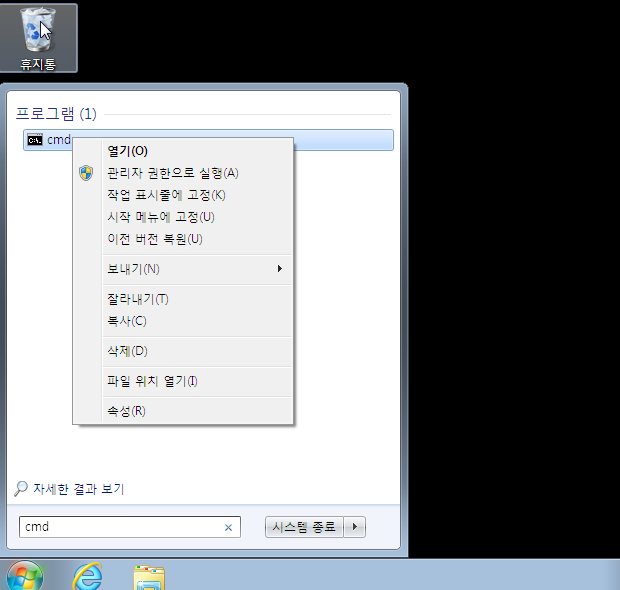
관리자 권한으로 command 창을 연다. net user 로 사용자 확인후 net user 사용자 * 로 비번 변경
|
1 2 3 4 5 6 7 8 9 10 11 12 13 14 15 16 17 18 19 20 21 22 23 24 25 |
Microsoft Windows [Version 6.1.7601] Copyright (c) 2009 Microsoft Corporation. All rights reserved. C:\Windows\system32>net user \\VIRTUAL01-PC에 대한 사용자 계정 ------------------------------------------------------------------------------- Administrator Guest userPC 명령을 잘 실행했습니다. C:\Windows\system32>net user userPC * 사용자에 대한 암호를 입력하십시오: 암호를 확인하기 위해 다시 입력하십시오: 암호가 맞지 않습니다. 사용자에 대한 암호를 입력하십시오: 암호를 확인하기 위해 다시 입력하십시오: 명령을 잘 실행했습니다. C:\Windows\system32> |
Symantec Endpoint Protection(SEP)
하나 이상의 Symantec Endpoint Protection(SEP) 클라이언트 기능에 의한 검사에서 파일, 폴더, 파일 확장자 또는 응용 프로그램이 제외되도록 할 수 있습니다. 이는 Symantec Endpoint Protection Manager(SEPM) […]
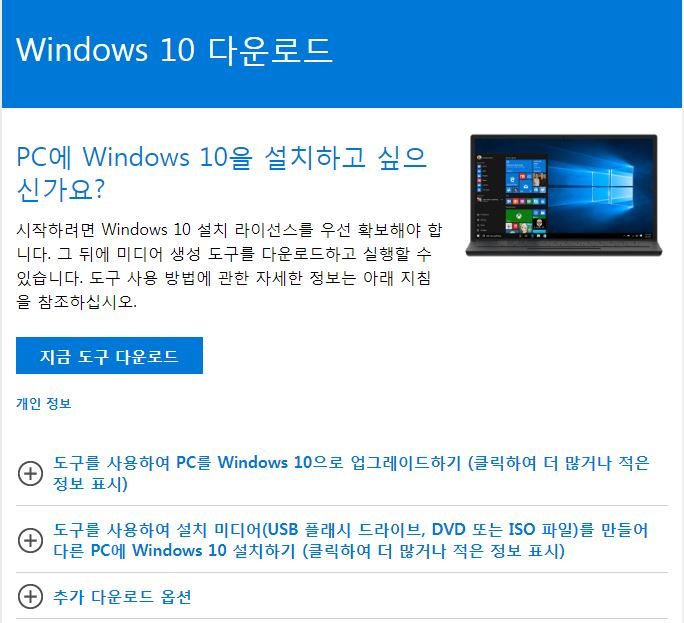
Windows 10 USB 만들기
Windows 10 CD 룸으로 만들기와 USB 만들기가 microsoft 에서 제공하고 있습니다. https://www.microsoft.com/ko-kr/software-download/windows10 지금 도구 다운로드 클릭하여 MediaCreationTool****.exe 받아 실행 하여 동의 하면 됩니다. [wp-svg-icons icon=”bullhorn” wrap=”h1″]주의) […]
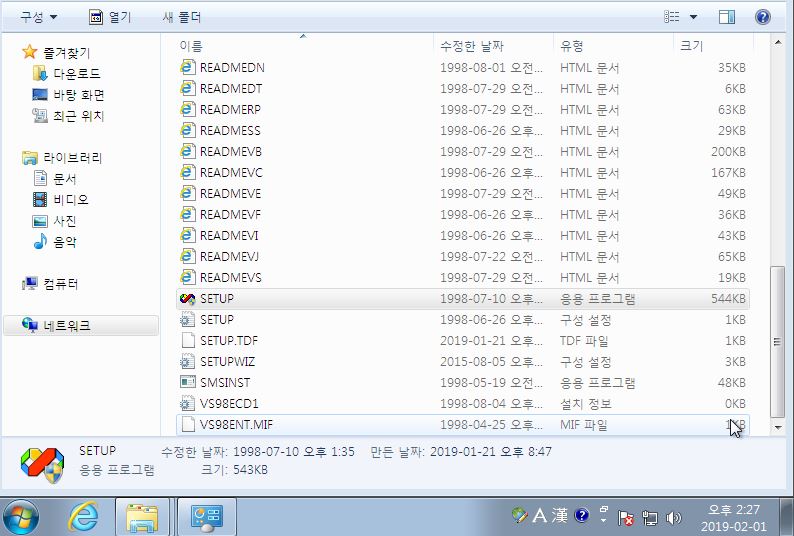
[vb] win7에 Microsoft Visual Basic 6.0 설치
Vs6sp6.exe (vb서비스팩) 파일 다운로드 : Vs6sp6.exe VBRegTLB6.exe (레지등록 프로그램 )파일 다운로드 : VBRegTLB6.exe VB6를 관리자 권한으로 설치한다. 관리자 권한으로 설치 합니다. 설치를 진행합니다. 동의 후 […]
ssd 접속 로그 확인
iptables 을 열었고 ssh 접속이 안되고 로그에 다음과 같이 나오면
|
1 2 3 4 |
cat /var/log/secure sshd[20900]: refused connect from 111.222.222.333 (111.222.222.222) |
호스트에 아이피 추가 해준다.
|
1 2 3 4 |
vi etc/hosts.allow sshd:111.222.222.2222 #add |
hanmail/한메일로 메일 반송시 리턴문제 해결
|
1 2 3 4 5 6 |
The original message was received at ... ---- The following addresses had permanent fatal errors ---- <*****@hanmail.net> (reason: 554 5.7.1 DAS51 2***.***.***.***: Your mail is blocked automatically by anti-spam system. (E06)) |
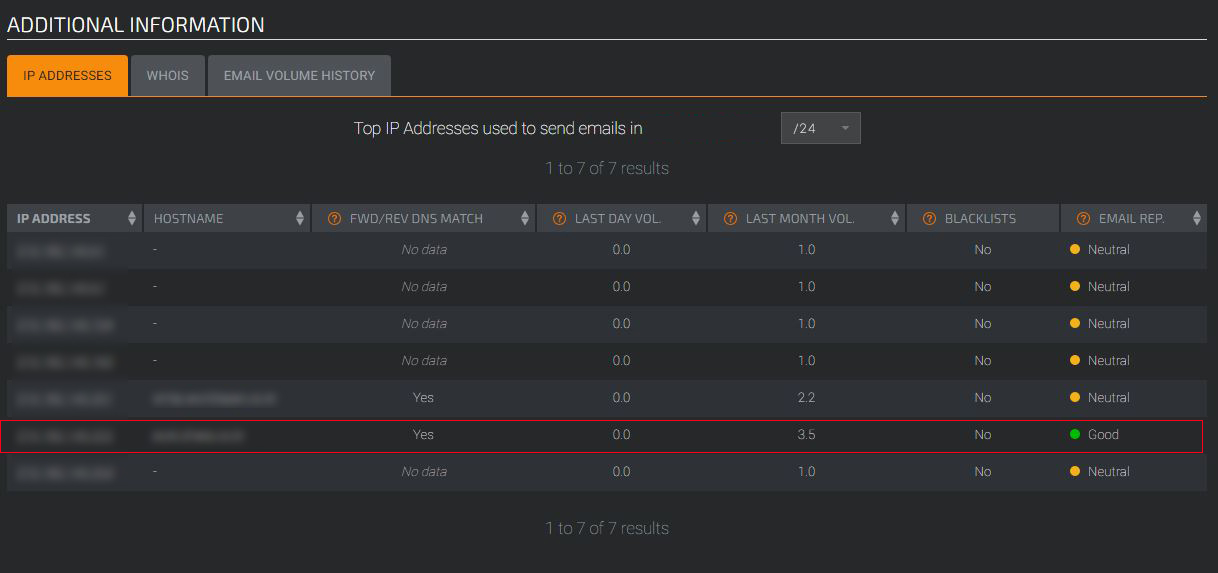
1. 계정이 도용되어 스팸메일 전송되면 Spam Blacklists 등록되어 송신메일서버에 Spam Blacklists 참조시 메일을 반송한다. 2. 도용메일의 비번을 변경하고 필요시 해외아이피를 막음 3. Spam Blacklists […]
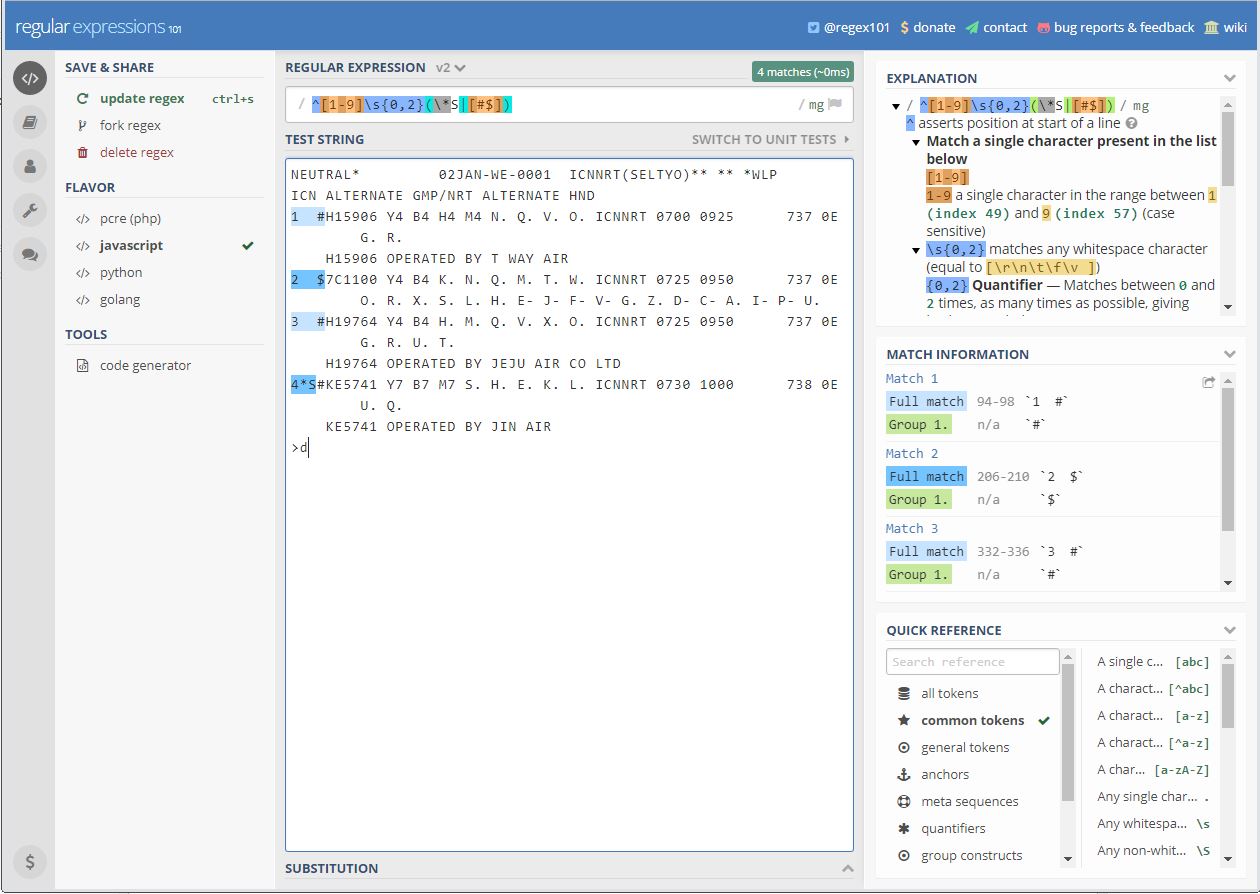
Regex Expression 정규식 테스트 사이트
https://regex101.com 샘플저장 : https://regex101.com/r/i88gXH/2/ https://regex101.com/r/mH4DDF/1 https://regex101.com/r/DNQurz/2
크롬에서 글자 깨지는 경우 / Text broken on Chrome
chrome 앱 스토어에서 Set Character Encoding 찾아서 설치 후 세팅 Set Character Encoding 설치 UTF-8 로세팅
[해결중] 오디날(ordinal) 8452을(를) DLL mfc90u.dll에서 찾을 수 없습니다.
알약삭제 시 에러 The ordinal 8452 could not be located in the dynamic link library mfc90u.dll. 다운로드 후 설치 : https://www.microsoft.com/en-us/download/details.aspx?id=10015
win10 파일 공유 문제 (SMB)
|
1 2 3 4 5 6 |
안전하지 않기 때문에 파일 공유에 연결할 수 없습니다. 이 공유에는 안전하지 않아 시스템 공격에 노출될 수 있는데 더 이상 사용되지 않는 SMB1 프로토콜이 필요합니다. 시스템에 SMB2 이상이 필요합니다. 이 문제를 해결하는 방법에 대한 자세한 내용은 https://go.microsoft.com/fwlink/?linid=852747을 참조하십시오. |
SMB1 활성화 제어판 – 프로그램 – 프로그램 및 기능 – Windows 기능 사용/사용안함 진입 후 SMB1을 체크하여 SMB1을 설치 및 활성화 재부팅 후 […]
Let’s Encrypt Windows (win7, win2012) SSL 설치
win7 에서도 netframework 4.6.01 이상이면 잘 설치 됩니다. 새버전은 wacs.exe 입니다. C:\inetpub\letsencrypt> wacs.exe [INFO] A simple Windows ACMEv2 client (WACS) [INFO] Software version 2.1.0.539 (RELEASE, […]
downloading .NET Framework 4.7.2
download : https://www.microsoft.com/net/download/thank-you/net472
ubuntu 18.04 LTS 에 Let’s Encrypt SSL 설치하기
Ubuntu 18.04 에서 Let’s Encrypt SSL Cert 설치 방법이 달라졌다. 1. Install Let’s Encrypt client (Certbot) sudo add-apt-repository ppa:certbot/certbot sudo apt update sudo apt install […]
XMRing CPU miner
As there is no outward indication that the program is running, here is a list of symptoms that a user can use to determine if […]
javascript 특수문자 체크
|
1 2 3 4 5 6 7 8 9 10 11 12 13 14 |
function CheckID(str) { var reg2 = /[a-z]/g; var reg3 = /\d/; return (reg2.test(str) && reg3.test(str) ); //var reg1 = /^[a-z0-9]{6,12}$/; //영문 또는 숫자 4-8자리인지 //var reg2 = /[a-z]/g; //문자중에 영문이 있는지 //var reg3 = /[0-9]/g; //문자중에 숫자가 있는지 //var reg4= /[!@#$]/g; //문자중에 특수문자가 있는지 //return (reg1.test(str) && reg2.test(str) && reg3.test(str) ); } |
|
1 2 3 4 5 6 7 8 9 10 11 |
if(!CheckID(frm.password.value)) { //alert("비밀번호는 영문소문자,특수문자(@#!$)와 숫자를 조합하여 생성해 주세요"); alert("비밀번호는 영문소문자와 숫자를 조합하여 생성해 주세요"); frm.password.value = ""; frm.passwordconf.value = ""; frm.password.focus(); return; } |
JQuery for Element loop
|
1 2 3 4 5 6 7 8 9 10 11 12 13 14 15 16 17 18 19 20 21 22 23 24 25 26 27 28 29 30 31 32 33 34 35 36 37 38 39 40 41 42 43 44 45 46 47 48 49 |
<style type="text/css"> div.container {text-align: center; padding-top: 5px;} h2 {background-color: #7ab800; color:white; text-align: center;} table {border: 0px: padding: 0px; border-collapse: collapse; margin:10px;} td {text-align: center; font-size:9pt; border: 1px solid #0075b0; width:20px } td.legend {font-size:10pt; text-align:left; border:0px; padding-right:6px;width:310px} td.outside, td.wing {border: none; } td.wing {background-color: #DCDCDC; width:75px } td.exitLeft {text-align:right;font-weight:bold;} td.exitRight {text-align:left;font-weight:bold;} td.occupied {background-image: url("images/Unavailable.jpg");background-repeat: no-repeat;cursor: not-allowed;} td.aisle {text-align: center; font-size:9pt; border:0x solid #0075b0; width:20px } td.aisleUpper {font-weight:bold; border-top:none; border-bottom: none;} td.aisleUpper {background-color: #333333;border: 0px solid #0075b0; color: white;} td.noseat {border:none; border: 0px solid #0075b0; width:20px; cursor: not-allowed;} td.availableHandicap {background-image: url("images/Handicapped.jpg");background-repeat: no-repeat} td.availableSeat {background-image: url("images/Available.jpg");background-repeat: no-repeat;cursor:pointer;} td.availableSeat.active {background-image: url("images/Selected.jpg");background-repeat: no-repeat;cursor:pointer;} td.blockedSeat {background-image: url("images/Blocked.jpg");background-repeat: no-repeat;cursor: not-allowed;} td.selectedSeat {background-image: url("images/Selected.jpg");background-repeat: no-repeat;cursor:pointer;} td.fontBold {font-weight:bold;} td.fontDarkGrey {color:#A9A9A9;} </style> <script src="http://code.jquery.com/jquery-1.12.4.min.js"></script> <script> $(document).ready(function(){ $(".availableSeat").click(function(){ var id = $(this).attr("id"); $("#SeatNum").val(id); $(".availableSeat.active").each(function(){ $(this).removeClass("active"); }); $(this).toggleClass("active"); }); }); </script> |
msslq 프로시저) 오래된 데이타 자동 삭제
|
1 2 3 4 5 6 7 8 9 10 11 12 13 14 15 16 17 18 19 20 21 22 23 24 25 26 27 28 29 30 31 32 33 34 35 36 37 38 39 40 41 42 43 |
-- ============================================= -- Author: Author -- Create date: 2018-03-28 -- Description: 오래된 데이타 자동 삭제 -- ============================================= CREATE PROCEDURE [dbo].[ClearDataSchedule] -- Add the parameters for the stored procedure here AS BEGIN -- SET NOCOUNT ON added to prevent extra result sets from -- interfering with SELECT statements. SET NOCOUNT ON; Declare @OldDate DateTime Declare @sOldDate varchar(10) Set @OldDate=(DATEADD(mm,-5,GETDATE())) -- 5달 이전꺼 삭제 Set @sOldDate = CONVERT(CHAR(10),@OldDate, 23) -- Insert statements for procedure here delete FROM [MYDB].[dbo].[MYTABLE1] where [Regi_Date]<@sOldDate delete FROM [MYDB].[dbo].[MYTABLE2] where [Regi_Date]<@sOldDate delete FROM [MYDB].[dbo].[MYTABLE3] where [Regi_Date]<@sOldDate delete FROM [MYDB].[dbo].[MYTABLE4] where [Regi_Date]<@sOldDate delete FROM [MYDB].[dbo].[MYTABLE5] where [Regi_Date]<@sOldDate delete FROM [MYDB].[dbo].[MYTABLE6] where [Regi_Date]<@sOldDate delete FROM [MYDB].[dbo].[MYTABLE7] where [Regi_Date]<@sOldDate delete FROM [MYDB].[dbo].[MYTABLE8] where [Regi_Date]<@sOldDate delete FROM [MYDB].[dbo].[MYTABLE9] where [Regi_Date]<@sOldDate End |
Ripmime simscan 설치 /spamassassin 구동시 필요 filtering
|
1 2 3 4 5 6 7 8 9 10 11 12 13 14 15 16 17 18 19 20 21 22 23 24 25 26 27 28 29 30 31 32 33 34 35 36 37 38 39 40 41 42 43 44 45 46 47 48 49 50 51 52 53 54 55 56 57 58 59 60 61 62 63 64 65 66 67 68 69 70 71 72 73 74 75 76 77 78 79 80 81 82 83 84 85 86 87 88 89 90 91 92 93 94 95 96 97 98 99 100 101 102 103 104 105 106 |
* Ripmime 설치 -- 수동 설치 -- [root@localhost]#cd /usr/local/src [root@localhost]# wget https://dl.fedoraproject.org/pub/epel/6/x86_64/Packages/r/ripmime-1.4.0.9-2.el6.x86_64.rpm [root@localhost]# rpm -ivh ripmime-1.4.0.9-2.el6.x86_64.rpm [root@localhost]# cd /usr/src/redhat/SPECS [root@localhost]# rpmbuild -ba ripmime.spec [root@localhost]# cd /usr/src/redhat/RPMS/i386 [root@localhost]# rpm -Uvh ripmime* [간단 설치 비고] Download the latest epel-release rpm from https://dl.fedoraproject.org/pub/epel/6/x86_64/Packages/r/ripmime-1.4.0.9-2.el6.x86_64.rpm Install epel-release rpm: # rpm -Uvh epel-release*rpm Install ripmime rpm package: -- 자동 설치 * 추천 -- [root@ns1 src]# yum install ripmime Loaded plugins: fastestmirror, security Setting up Install Process Determining fastest mirrors epel/metalink | 6.2 kB 00:00 Could not retrieve mirrorlist http://rpms.remirepo.net/enterprise/6/remi/mirror error was 14: PYCURL ERROR 7 - "Failed to connect to 2001:bc8:33a1:100::1: Network is unreachable" * base: data.aonenetworks.kr * epel: mirror.premi.st * extras: data.aonenetworks.kr * remi: mirrors.thzhost.com * remi-safe: ftp.riken.jp * rpmforge: ftp.riken.jp * updates: data.aonenetworks.kr base | 3.7 kB 00:00 epel | 3.2 kB 00:00 epel/primary | 3.2 MB 00:00 epel 12522/12522 epel-httpd24 | 2.9 kB 00:00 extras | 3.4 kB 00:00 remi | 2.9 kB 00:00 remi/primary_db | 2.2 MB 00:05 remi-safe | 2.9 kB 00:00 remi-safe/primary_db | 1.0 MB 00:00 rpmforge | 1.9 kB 00:00 updates | 3.4 kB 00:00 updates/primary_db | 1.2 MB 00:09 Resolving Dependencies --> Running transaction check ---> Package ripmime.x86_64 0:1.4.0.9-2.el6 will be installed --> Finished Dependency Resolution Dependencies Resolved ================================================================================ Package Arch Version Repository Size ================================================================================ Installing: ripmime x86_64 1.4.0.9-2.el6 epel 83 k Transaction Summary ================================================================================ Install 1 Package(s) Total download size: 83 k Installed size: 201 k Is this ok [y/N]: y Downloading Packages: ripmime-1.4.0.9-2.el6.x86_64.rpm | 83 kB 00:00 Running rpm_check_debug Running Transaction Test Transaction Test Succeeded Running Transaction Installing : ripmime-1.4.0.9-2.el6.x86_64 1/1 Verifying : ripmime-1.4.0.9-2.el6.x86_64 1/1 Installed: ripmime.x86_64 0:1.4.0.9-2.el6 Complete! ------------------------------------------------------------------------------------------------------ * simscan 설치 [root@localhost]#cd /usr/local/src [root@localhost]#wget http://downloads.sourceforge.net/project/simscan/simscan/simscan-1.4.0/simscan-1.4.0.tar.gz [root@localhost]#wget https://notes.sagredo.eu/files/qmail/patches/simscan-1.4.0.patch [root@localhost]tar xvfz simscan-1.4.0.tar.gz [root@localhost]cd simscan-1.4.0 [root@localhost]patch -p1 < ../simscan-1.4.0.patch [root@localhost]useradd -r -g clamav -s /bin/false -c "Simscan - a qmail-queue substitute" simscan ./configure --prefix=/usr --sysconfdir=/etc --mandir=/usr/share/man --enable-user=simscan --enable-clamav=y --enable-attach=y --enable-dropmsg=y --enable-per-domain=y --enable-spam=y --enable-spamc-user=y --enable-spamc=/usr/bin/spamc --enable-spam-hits=30.0 --enable-qmaildir=/var/qmail --enable-workdir=/var/qmail/simscan --enable-controldir=/var/qmail/control --enable-quarantinedir=/var/qmail/quarantine --enable-qmail-queue=/var/qmail/bin/qmail-queue --enable-ripmime=/usr/bin/ripmime --enable-received=y --enable-spamassassin-path=/usr/bin/spamassassin --enable-clamavdb-path=/var/clamav --enable-clamdscan=/usr/bin/clamdscan --enable-sigtool-path=/usr/bin/sigtool --enable-spam-passthru=y [root@localhost]# make [root@localhost]# make install-strip [root@localhost]# mkdir /var/qmail/quarantine [root@localhost]# chown simscan:clamav /var/qmail/quarantine/ [root@localhost]# chmod 770 /var/qmail/quarantine/ [root@localhost]# cat /var/qmail/control/simcontrol :clam=yes,spam=yes,attach=.scr:.bat:.com:.pif:.exe:.mp3:.avi:.mpeg:.wmv [root@localhost]# /var/qmail/bin/simscanmk -g simscan versions cdb file built. /var/qmail/control/simversions.cdb [root@localhost]# /var/qmail/bin/simscanmk simscan cdb file built. /var/qmail/control/simcon |
Dynamic Web Project option missing in Eclipse
Go to Eclipse->Help menu->Install new software choose the Web, XML, Java EE plugin and install it.