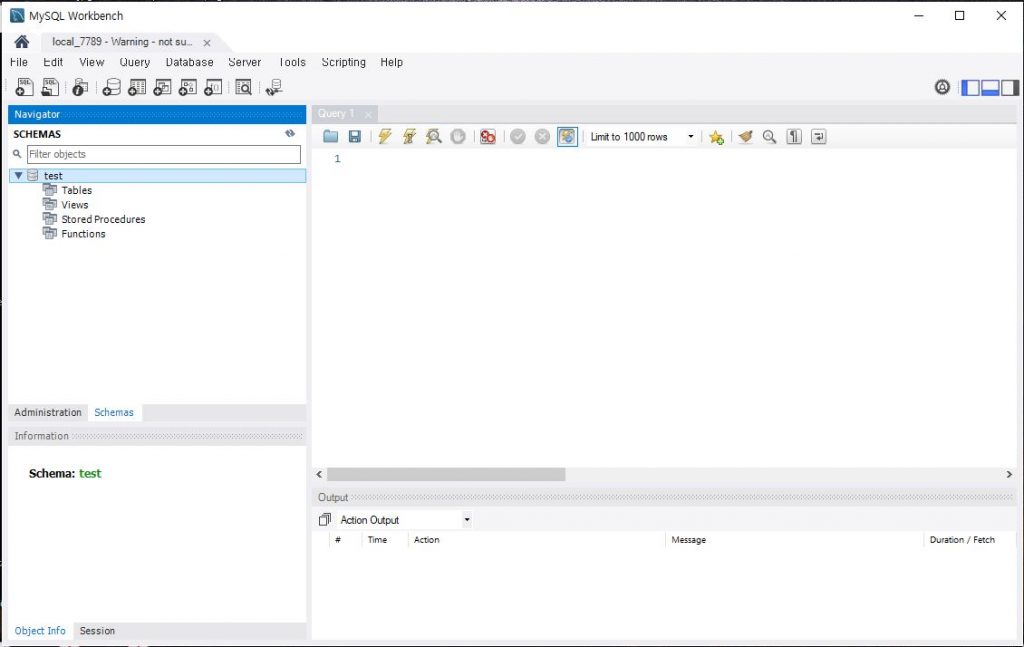
CenOS에 MariaDB 설치 후
remote 열기
cd /etc/my.cnf.d
# ls
client.cnf  enable_encryption.preset  mysql-clients.cnf  server.cnf  tokudb.cnf
#sudo vi /etc/mysql/mariadb.conf.d/50-server.cnf


bind-address=0.0.0.0
3306 포트 열기
[root@localhost my.cnf.d]# cat /etc/sysconfig/iptables
# sample configuration for iptables service
# you can edit this manually or use system-config-firewall
# please do not ask us to add additional ports/services to this default configuration
*filter
:INPUT ACCEPT [0:0]
:FORWARD ACCEPT [0:0]
:OUTPUT ACCEPT [0:0]
-A INPUT -m state --state RELATED,ESTABLISHED -j ACCEPT
-A INPUT -p icmp -j ACCEPT
-A INPUT -i lo -j ACCEPT
-A INPUT -p tcp -m state --state NEW -m tcp --dport 22 -j ACCEPT
-A INPUT -p tcp -m state --state NEW -m tcp --dport 80 -j ACCEPT
-A INPUT -p tcp -m state --state NEW -m tcp --dport 3306 -j ACCEPT
-A INPUT -j REJECT --reject-with icmp-host-prohibited
-A FORWARD -j REJECT --reject-with icmp-host-prohibited
COMMIT
ubuntu ufw
|
1 2 3 4 |
$ sudo ufw allow 3306 $ sudo ufw reload |
root 계정 리모트(%) 가능 으로 변경 (10.5 이하에서만 가능)
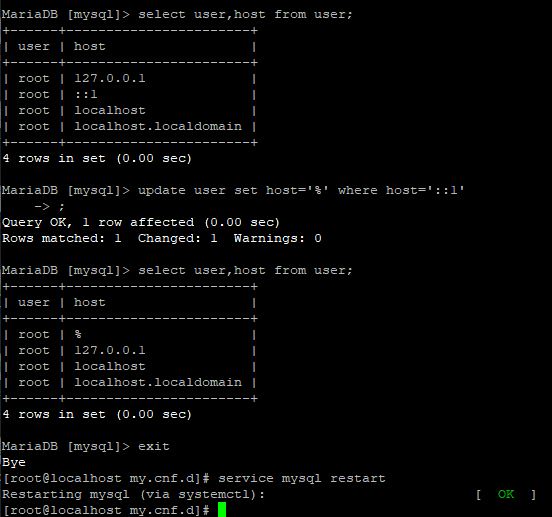
MariaDB 10.5 이상에서 에러
|
1 2 3 4 |
MariaDB [mysql]> UPDATE user SET Host='%' WHERE User='root'; ERROR 1356 (HY000): View 'mysql.user' references invalid table(s) or column(s) or function(s) or definer/invoker of view lack rights to use them |
|
1 2 3 4 5 6 7 8 9 |
MariaDB [mysql]> Select version(); +-------------------+ | version() | +-------------------+ | 10.11.2-MariaDB-1 | +-------------------+ 1 row in set (0.001 sec) |
Solution
|
1 2 3 |
RENAME USER 'root'@'localhost' TO 'root'@'%"; |
|
1 2 3 4 5 6 7 8 9 10 |
MariaDB [mysql]> select user,host, password from user; +-------------+-----------+-------------------------------------------+ | User | Host | Password | +-------------+-----------+-------------------------------------------+ | mariadb.sys | localhost | | | root | % | *04652067D332F58564F759B8E962EA90F3498EA1 | | mysql | localhost | invalid | +-------------+-----------+-------------------------------------------+ |
Password 변경
|
1 2 3 4 |
set password for 'root'@'localhost' = password('password'); flush privileges; |
iptable 및 mysql 재시작후 MySQL Workbench 로 열기
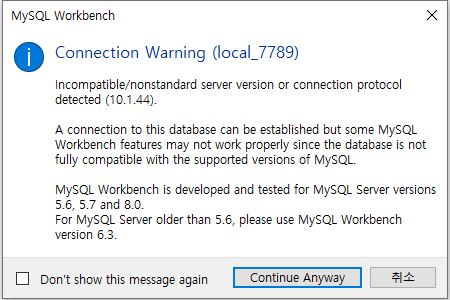
아래 메시지 무시
참조 : https://unix.stackexchange.com/questions/252275/mysql-workbench-warning-when-connecting-to-mariadb
연결된 상태