
제3자 로깅 서비스: Serilog, NLog, ELK Stack (Elasticsearch, Logstash, Kibana)와 같은 외부 로깅 라이브러리를 사용하여 로그를 특정 스토리지나 서비스로 보낼 수 있습니다.
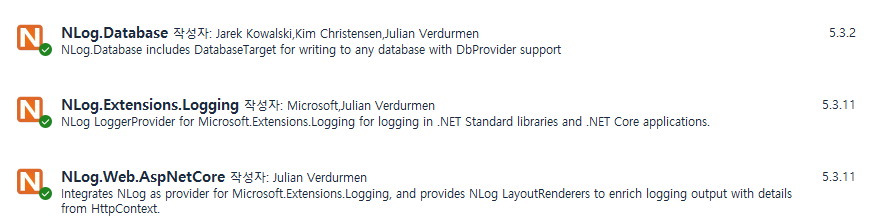
1. NLog 패키지 설치
|
1 2 3 4 5 |
dotnet add package NLog.Web.AspNetCore dotnet add package NLog.Extensions.Logging dotnet add package NLog.Database |
1.1 MySQL 에 저장시 : 로그 디비컨넥션 오류 발생시 문제 많음 (비추)

|
1 2 3 |
dotnet add package MySql.Data |
2. Create the MySQL Database and Table
|
1 2 3 4 5 6 7 8 9 10 |
CREATE TABLE LogTable ( Id INT AUTO_INCREMENT PRIMARY KEY, Date DATETIME NOT NULL DEFAULT CURRENT_TIMESTAMP, Level VARCHAR(50) NOT NULL, Logger VARCHAR(255) NOT NULL, Message TEXT NOT NULL, Exception TEXT ); |
3. nlog.config 루트에 추가
NLog.Config 있을시 삭제
|
1 2 3 4 5 6 7 8 9 10 11 12 13 14 15 16 17 18 19 20 21 22 23 24 25 26 27 28 29 30 31 32 33 34 35 36 37 38 39 40 41 42 43 44 45 |
<?xml version="1.0" encoding="utf-8" ?> <nlog xmlns="http://www.nlog-project.org/schemas/NLog.xsd" xmlns:xsi="http://www.w3.org/2001/XMLSchema-instance" internalLogLevel="Debug" internalLogFile="internal-nlog.txt"> <!-- Include the NLog.Web.AspNetCore package --> <extensions> <add assembly="NLog.Web.AspNetCore" /> </extensions> <!-- Define the targets --> <targets> <!-- Log to a file --> <target xsi:type="File" name="logfile" fileName="logs/logfile.txt" layout="${longdate} ${uppercase:${level}} ${logger} ${message} ${exception}" /> <!-- Log to the console --> <target xsi:type="Console" name="logconsole" layout="${longdate} ${uppercase:${level}} ${logger} ${message} ${exception}" /> <!-- Log to a MySQL database --> <target xsi:type="Database" name="database" connectionString="Server=myServerAddress;Database=myDataBase;User=myUsername;Password=myPassword;" dbProvider="MySql.Data.MySqlClient.MySqlConnection, MySql.Data" commandText="INSERT INTO LogTable (Level, Logger, Message, Exception) VALUES (@level, @logger, @message, @exception)"> <parameter name="@date" layout="${longdate}" /> <parameter name="@level" layout="${level}" /> <parameter name="@logger" layout="${logger}" /> <parameter name="@message" layout="${message}" /> <parameter name="@exception" layout="${exception:tostring}" /> </target> </targets> <!-- Define the rules --> <rules> <!-- Log everything to file and console --> <logger name="*" minlevel="Trace" writeTo="logfile,logconsole" /> <!-- Log only errors to the database --> <logger name="*" minlevel="Error" writeTo="database" /> </rules> </nlog> |
4.Program.cs
|
1 2 3 4 5 6 7 8 9 10 11 12 13 14 15 16 17 18 19 20 21 22 23 24 25 26 27 28 29 30 31 32 33 34 35 36 37 38 39 40 41 42 43 44 45 46 47 48 49 50 51 |
using NLog.Web; var logger = NLogBuilder.ConfigureNLog("nlog.config").GetCurrentClassLogger(); try { logger.Debug("init main"); var builder = WebApplication.CreateBuilder(args); // Add services to the container. builder.Services.AddControllersWithViews(); // Configure NLog as the logging provider builder.Logging.ClearProviders(); builder.Logging.SetMinimumLevel(Microsoft.Extensions.Logging.LogLevel.Trace); builder.Host.UseNLog(); var app = builder.Build(); // Configure the HTTP request pipeline. if (!app.Environment.IsDevelopment()) { app.UseExceptionHandler("/Home/Error"); app.UseHsts(); } app.UseHttpsRedirection(); app.UseStaticFiles(); app.UseRouting(); app.UseAuthorization(); app.MapControllerRoute( name: "default", pattern: "{controller=Home}/{action=Index}/{id?}"); app.Run(); } catch (Exception ex) { // NLog: catch setup errors logger.Error(ex, "Stopped program because of exception"); throw; } finally { // Ensure to flush and stop internal timers/threads before application-exit (Avoid segmentation fault on Linux) NLog.LogManager.Shutdown(); } |
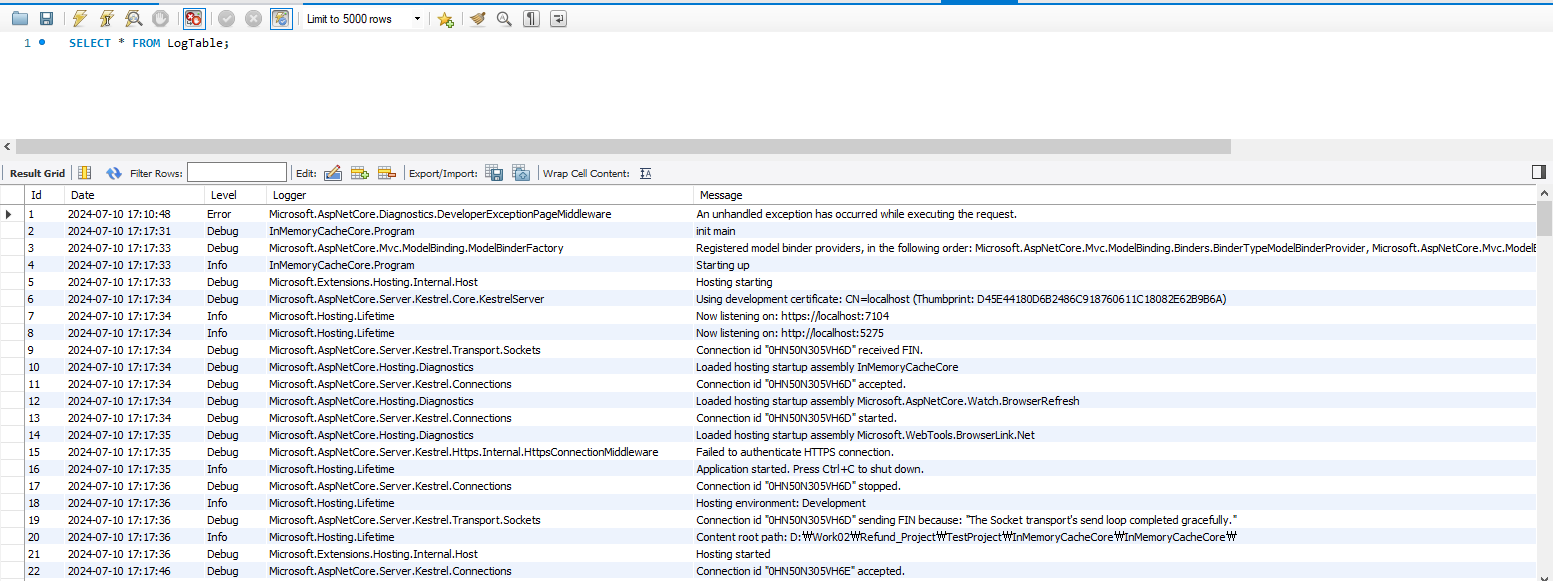
5. Mysql Log Data
6. Log files

|
1 2 3 4 5 6 7 8 9 10 |
2024-07-10 13:56:04.8714 INFO Starting up 2024-07-10 15:30:18.1394 INFO Starting up 2024-07-10 15:43:03.4143 INFO Starting up 2024-07-10 16:06:03.7546 DEBUG InMemoryCacheCore.Program init main 2024-07-10 16:06:04.6545 INFO InMemoryCacheCore.Program Starting up 2024-07-10 16:22:22.6490 DEBUG InMemoryCacheCore.Program init main 2024-07-10 16:22:23.9055 INFO InMemoryCacheCore.Program Starting up 2024-07-10 16:29:31.8965 DEBUG InMemoryCacheCore.Program init main |
추가 -Log 제거
NLog의 로그 순환(Log Rotation)과 보관 개수 제한을 설정하면 로그 때문에 서버 디스크가 계속 줄어드는 것을 방지할 수 있습니다.
.NET Framework 4.8의 NLog.config 예시는 다음과 같습니다.
|
1 2 3 4 5 6 7 8 9 10 11 12 13 14 15 16 17 18 19 20 21 22 23 24 25 26 27 28 29 |
<?xml version="1.0" encoding="utf-8" ?> <nlog xmlns="http://www.nlog-project.org/schemas/NLog.xsd" xmlns:xsi="http://www.w3.org/2001/XMLSchema-instance"> <targets> <target xsi:type="File" name="logFile" fileName="${basedir}/logs/application.log" archiveFileName="${basedir}/logs/archive/application.{#}.log" archiveEvery="Day" archiveAboveSize="104857600" archiveNumbering="DateAndSequence" archiveDateFormat="yyyyMMdd" maxArchiveFiles="30" layout="${longdate}|${level}|${logger}|${message} ${exception:format=tostring}" /> </targets> <rules> <logger name="*" minlevel="Info" writeTo="logFile" /> </rules> </nlog> |
각 설정의 의미는 다음과 같습니다.
| 설정 | 의미 |
|---|---|
archiveEvery="Day" | 날짜가 바뀌면 기존 로그를 보관 파일로 이동 |
archiveAboveSize="104857600" | 파일이 100MB를 넘으면 즉시 분리 |
maxArchiveFiles="30" | 보관 로그를 최대 30개까지만 유지 |
archiveNumbering="DateAndSequence" | 날짜와 순번으로 보관 파일명 생성 |
minlevel="Info" | 용량이 큰 Trace, Debug 로그 제외 |
생성되는 파일은 대략 다음과 같습니다.
logs/
 ├─ application.log
 └─ archive/
     ├─ application.20260915.0.log
     ├─ application.20260916.0.log
     ├─ application.20260916.1.log
└─ application.20260917.0.logmaxArchiveFiles="30"을 적용하면 31번째 보관 파일이 생성될 때 가장 오래된 파일을 자동 삭제합니다. NLog는 ArchiveAboveSize로 지정된 바이트 크기를 초과하면 자동 보관하며, MaxArchiveFiles로 보관 파일의 최대 개수를 제한합니다. NLog ArchiveAboveSize 문서, NLog MaxArchiveFiles 문서
주의할 점은 archiveAboveSize만 설정하고 maxArchiveFiles를 설정하지 않으면 로그 파일만 계속 분리되고 전체 사용량은 계속 증가한다는 것입니다. 두 설정을 같이 사용하는 것이 중요합니다.
다만 NLog 자체에는 일반적으로 “디스크 여유 공간이 10GB 미만이면 기록 중지” 같은 전체 디스크 용량 감시 기능은 없습니다. 따라서 운영 서버에서는 다음 조합을 권장합니다.
- NLog: 파일당 50~100MB
- 보관 파일: 30~100개 제한
- 로그 수준: 운영 환경에서는
Info이상 - 서버 모니터링: 디스크 사용률 80~90% 알림
- 중요한 오류는 별도 파일로 분리
예를 들어 파일당 100MB, 최대 30개이면 해당 로그 대상의 최대 사용량은 대략 3GB + 현재 기록 파일 수준으로 제한할 수 있습니다. IIS 서버에 여러 사이트나 여러 로그 대상이 있다면 각각의 maxArchiveFiles를 모두 확인해야 합니다.